
How to query a database without writing SQL
Updated 2026-10-10
To query a database without writing SQL, connect it to an AI data analyst and ask the way you would ask a colleague. Intellrise writes the SQL against your real schema, runs it, and gives you the chart and the numbers, with the exact SQL one click away. Pin the chart to a dashboard and you never switch tools.
Start free with one Postgres, MySQL or Redshift database plus Google Sheets. Pro is $29 a month for unlimited sources, CSV and Excel uploads, scheduled email reports, and a semantic layer that learns what your columns mean. Here is how the flow works.
- 1
Connect your data source
Connect a database, a spreadsheet or a file. The analyst reads the schema so it knows what tables and columns are available.
- 2
Ask a business question
Type what you want to know: "monthly revenue this year", "which regions grew fastest last quarter", "repeat purchase rate by cohort". Business language is fine — you don't need table or column names.
- 3
Review the query plan
On anything non-trivial, the analyst shows a readable plan — the sources, joins, filters and aggregation it will use — with the exact SQL one click away. Review it and approve, so you trust the answer instead of guessing at a black box.
- 4
Read the chart and refine
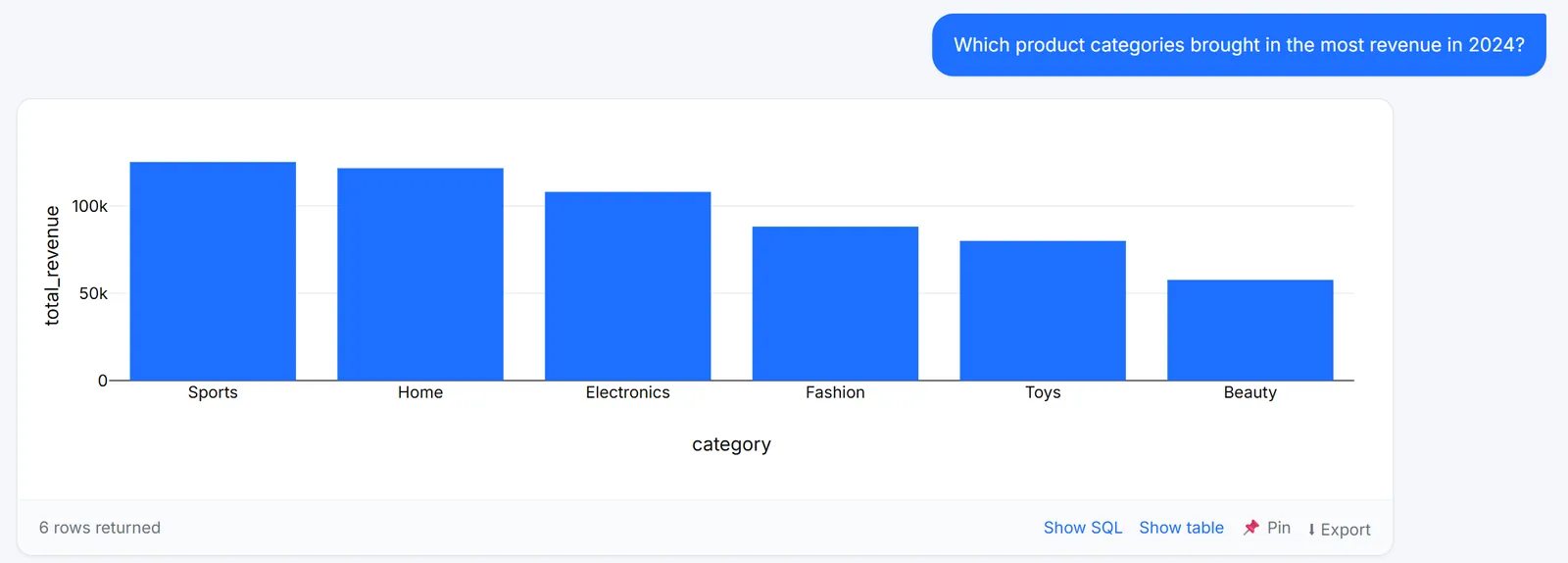
You get an auto-selected chart, the underlying table, and a short written insight. Refine by chatting: "add profit margin", "only the top 3", "group by month". It keeps the full conversation in context.
- 5
Save, pin or export
Pin the chart to a dashboard, save the analysis as a report, or export to CSV, Excel, PDF or slides. From the question to the chart and the report, you never switch tools to finish the job.
How to ask questions that get good answers
- Ask for an outcome ("revenue by month"), not a table name.
- Add the time frame you care about ("this year", "last 90 days").
- Refine in steps rather than one giant question.
- If a field is ambiguous, clarify it once — the analyst can remember your definition for next time.
Why the query plan matters
Turning a question into SQL is only trustworthy if you can see what it did. Showing the plan before a complex query runs, and the exact SQL behind every result, turns the analyst from a black box into something you can verify — which is what makes it safe to use for real decisions.
Frequently asked questions
PostgreSQL, MySQL, Amazon Redshift, Google Sheets, and uploaded CSV/Excel files — and you can even join across sources in one question.
Yes. The generated SQL is one click away on every query, and complex questions show a readable plan first.
Related
The one-stop AI data analyst that knows your schema.
One place from question to finished work: the SQL, the chart, a dashboard your whole team can open, and a report that emails itself every morning. It learns what your columns mean, so nobody explains a field twice. Start free with one database plus Google Sheets, or take 14 days of Pro with no card.
Every new account starts on a 14-day Pro trial with no card. After it lapses, the free tier stays free.