
How to turn a question into SQL that runs on your real schema
Updated 2026-10-10
A generic text-to-SQL generator has never seen your schema, so it guesses at table and column names. Intellrise turns your question into SQL against your real tables, is built to show its plan on complex questions and wait for you to click Execute, and gives you the chart and the numbers back.
Start free with one database. Pro is $29 a month and adds a semantic layer that learns what your columns mean on connect and offers to save the definitions you explain in chat, so the next query uses them. Here is how to go from a question to correct SQL on your own data.
- 1
Connect the schema the query will run against
Correct SQL depends on knowing the real tables, columns and relationships. Connect your source so the analyst generates against your actual schema instead of a generic guess.
- 2
Ask the question you would ask a colleague
Ask for the result you need. The analyst maps your business terms to the right tables and joins using what it knows about your schema.
- 3
Review the plan and the SQL
On complex questions, see a readable plan and the exact SQL. Check the joins and filters, adjust if needed, and click Execute.
- 4
Save definitions so it stays correct
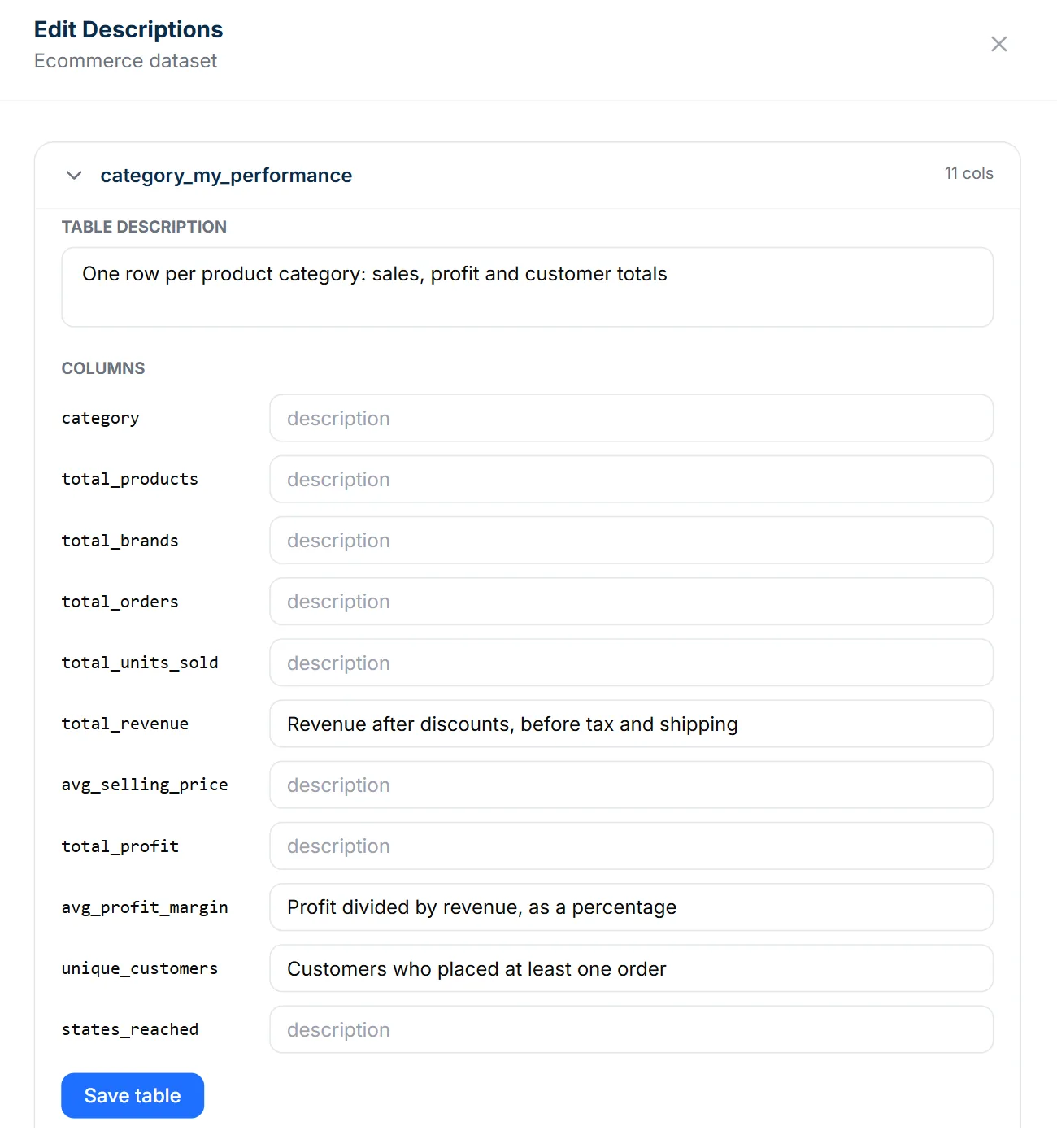
When you correct or clarify a field, save the definition. The analyst remembers it, so future questions produce correct SQL without re-explaining your data.
Why schema-aware beats a generic text-to-SQL tool
A generator that doesn't know your schema will invent plausible-looking column names and silently produce wrong results. Generating against your connected schema — with a semantic layer that remembers what your fields mean — is the difference between SQL that looks right and SQL that is right.
Frequently asked questions
It includes text-to-SQL, but it runs against your real schema, shows a reviewable plan, executes the query, charts the result, and remembers your field definitions — it takes you from the question to the chart, not just to a snippet.
PostgreSQL, MySQL and Amazon Redshift are supported, and cross-source questions are handled with a federation layer.
Related
The one-stop AI data analyst that knows your schema.
One place from question to finished work: the SQL, the chart, a dashboard your whole team can open, and a report that emails itself every morning. It learns what your columns mean, so nobody explains a field twice. Start free with one database plus Google Sheets, or take 14 days of Pro with no card.
Every new account starts on a 14-day Pro trial with no card. After it lapses, the free tier stays free.