
Get a free AI key in 60 seconds
Intellrise runs on your own AI key, and a Google Gemini key is free with no card. Open Google AI Studio from Intellrise, create the key, copy it and paste it back. Each step shows the screen you will see.
Step 1: Open Google AI Studio from Intellrise
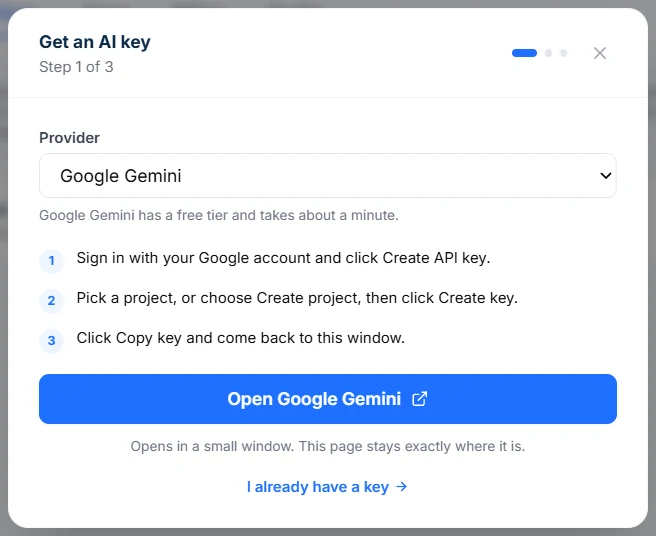
- Sign in at app.intellrise.com, open Settings → AI Keys and click Add AI Key.
- Leave Google Gemini selected and click Open Google Gemini. Google AI Studio opens in a small window, and Intellrise stays where it is.
Step 2: Create the key in Google AI Studio
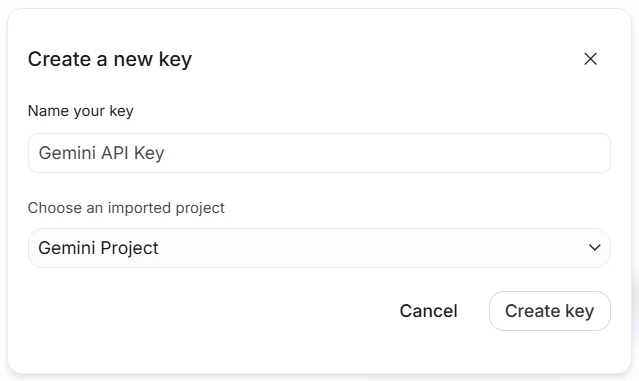
- Sign in with your Google account and click Create API key.
- Under Choose an imported project, pick your project. If it says No Cloud Projects Available, open the list, choose Create project, keep the suggested name and click Create project.
- Click Create key.
Step 3: Copy the key
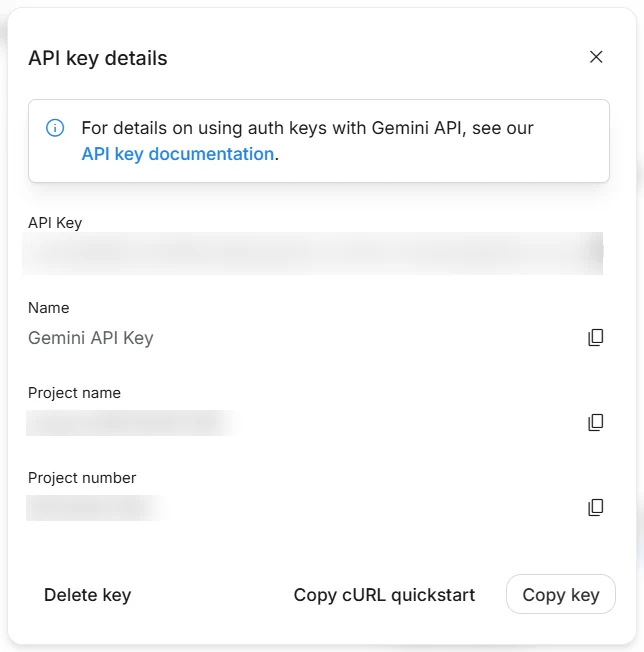
- Google shows your API key details. Click Copy key.
- New keys start with AQ., older ones with AIza.
Step 4: Paste it into Intellrise
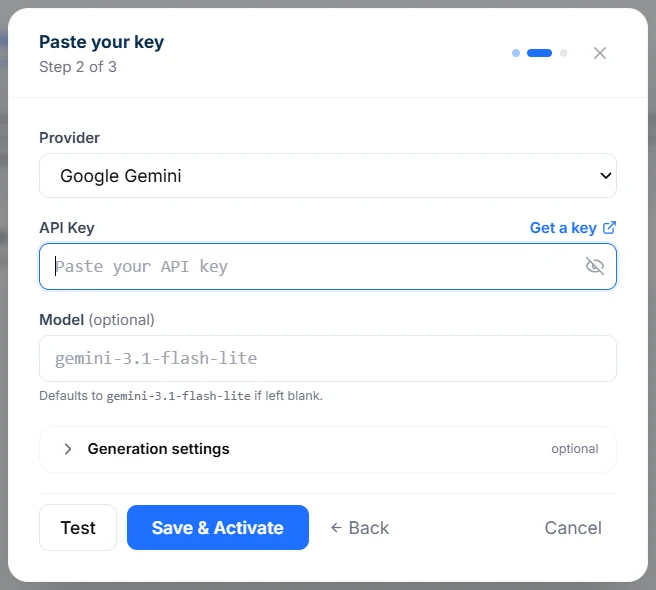
- Go back to the Intellrise window. It has moved on to Paste your key, with the cursor in the API Key box.
- Paste the key and click Save & Activate. Intellrise confirms the key is connected and gives you the next step: Connect a data source, or Ask your first question if your data is already connected.
Good to know
A key on a new Google project costs nothing: the project starts on the free tier and stays there until you link a billing account yourself.
Rather use OpenAI, Anthropic (Claude), DeepSeek or MiniMax? Pick it under Provider in the same window.
To change or remove a key later, open Settings → AI Keys.
Want us to set it up with you?
Write to contact@intellrise.com, or reply to our email if you have one. We will go through it with you, key included.